(Once a top-up is completed using a voucher, neither the paid amount nor the bonus credit is refundable)
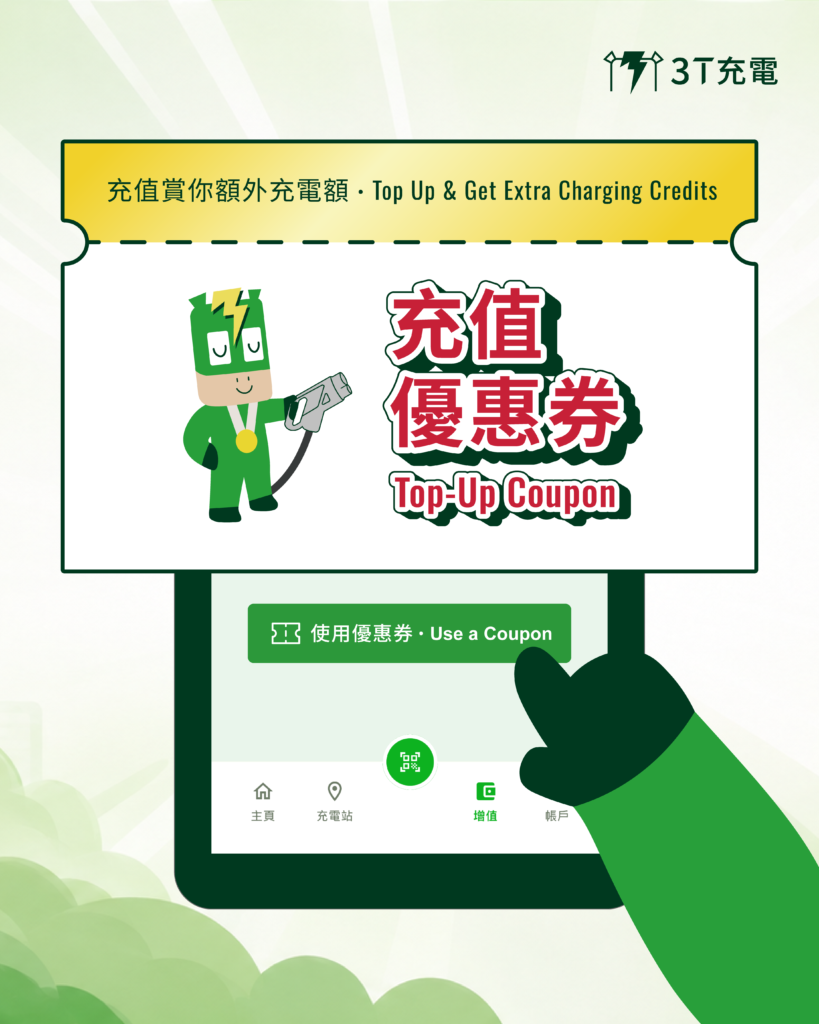
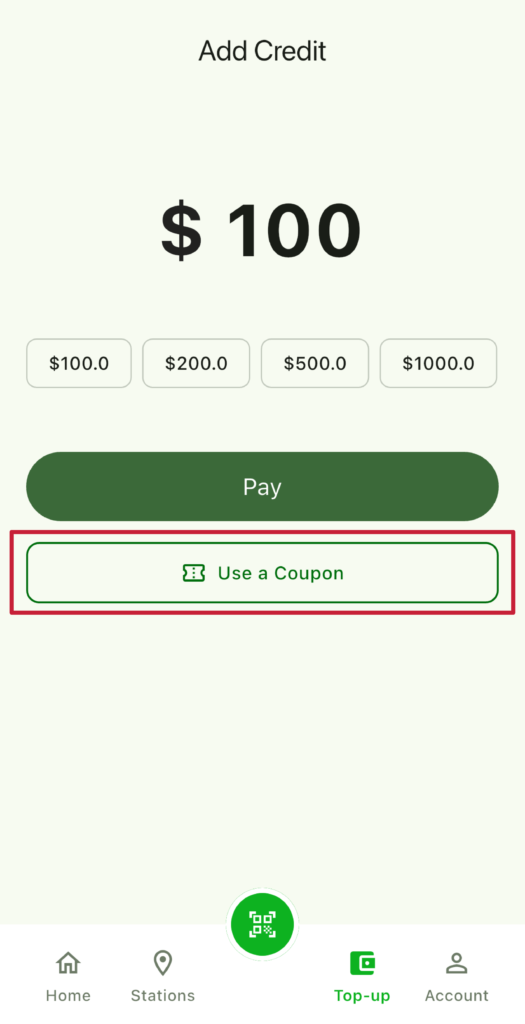
Step 1
Tap the "Use a Coupon" button in the Top-up Page
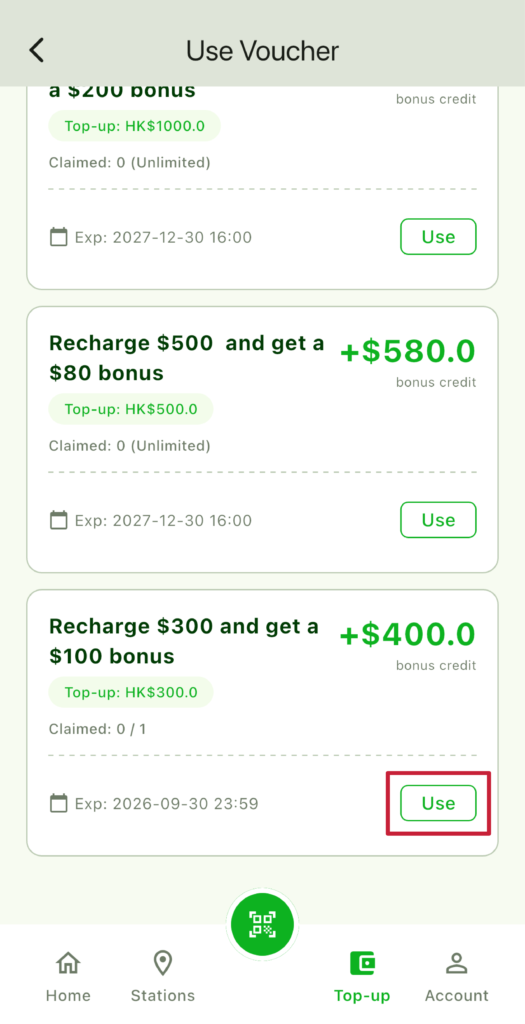
Step 2
Select the coupon
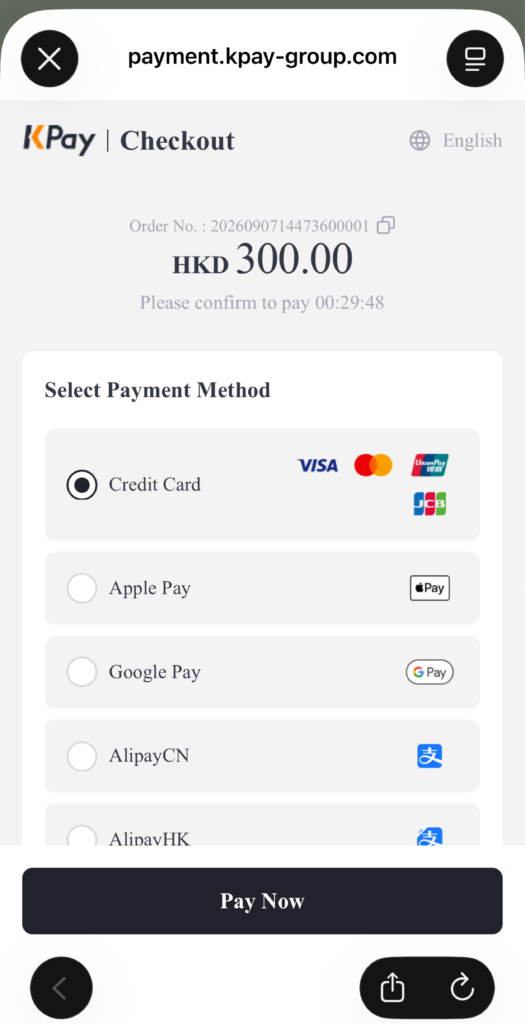
Step 3
Complete your top-up and start saving instantly!
All charging credits from this offer (including bonus credits) are non-refundable, non-transferable, and cannot be exchanged for cash.
Users must have a positive wallet balance (above $0) to use this voucher for top-up.
This voucher can be combined with the Sleepless Night Discount (charging rate of $2.6/kWh between 12:00 AM and 6:00 AM).
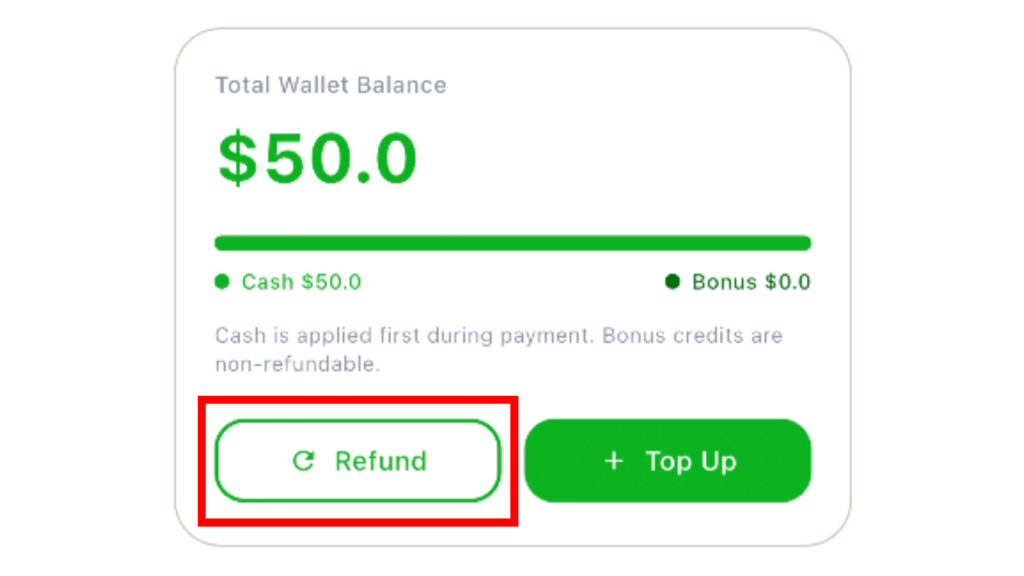
Refund Steps
(Only top-up amounts without any coupons or discounts used are eligible for a refund)
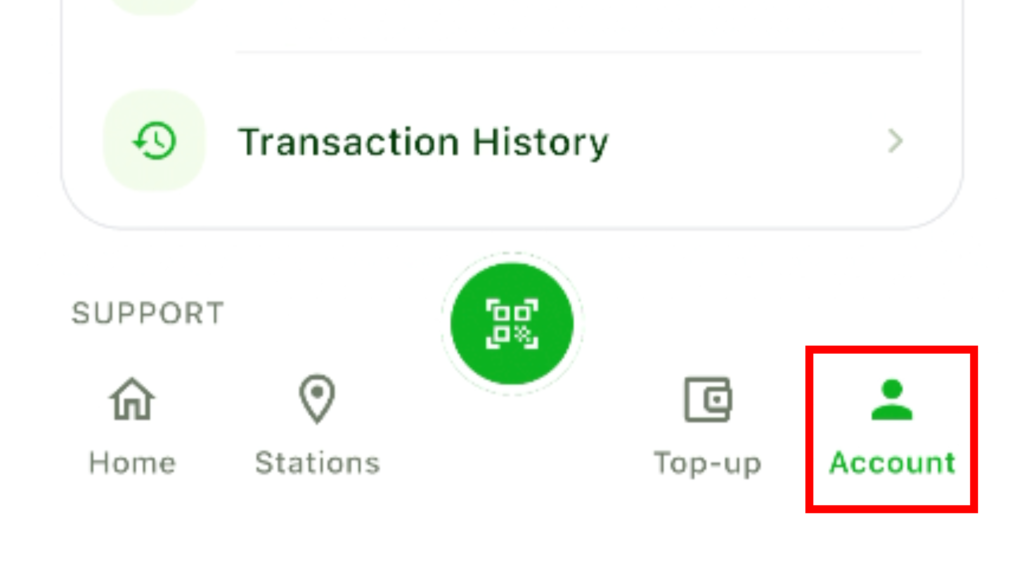
Step 1
In the app, tap "Account" at the bottom.
Step 2
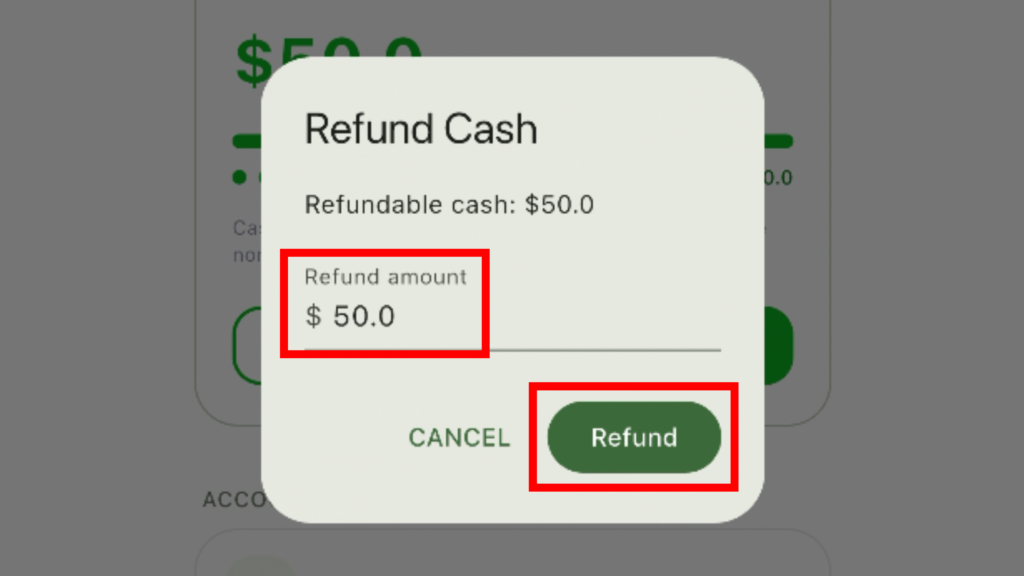
Enter the refund amount.
Step 3
Tap the "Refund" button.
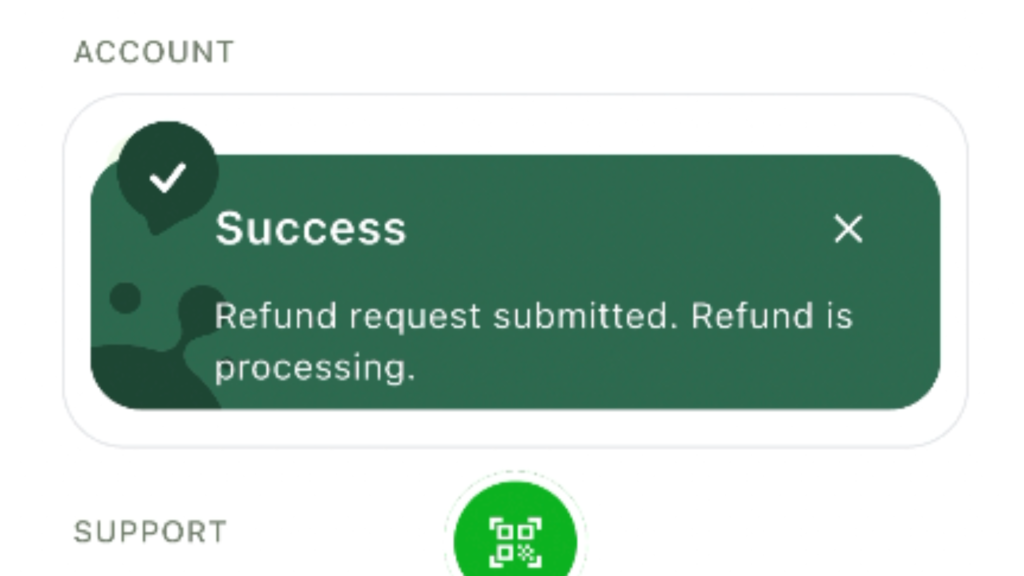
Step 4
Since the refund process subsequently requires verification and posting through the relevant financial institutions, refunds usually take 7 to 14 working days to be credited back to the original payment method.
* Once charging is complete (at 100% or manually stopped), please unplug the connector within 10 minutes to avoid an additional idle fee.
Frequently Asked Questions
Where can I find the top-up coupons?
We have automatically added this voucher to all user accounts. You can find and select it on the top-up page in the app.
Can the Top-Up Offer be stacked with the Sleepless Night Discount?
Yes. All top-up offers can be used in conjunction with the Sleepless Night Discount. For example, using the $1,000 top-up for $200 extra credit (effective rate $2.50/kWh) and then charging during late-night hours will result in an even lower total effective rate.
Can I get a refund on credit obtained from a top-up offer?
No. Any bonus credit earned through top-up offers is non-refundable. Only the portion of your balance that was paid for in cash and without using any offers is eligible for a refund.
I topped up, but my balance hasn't updated. What should I do?
Please close and reopen the app to see if your balance has updated. If the issue persists, wait a few minutes and check again.
My payment was declined. What should I do?
Please check the following:
Ensure your card or account has sufficient funds or credit.
Check if your payment card has expired.
Confirm your chosen payment method is supported (Visa, Mastercard, UnionPay, Alipay, WeChat Pay).
If everything seems correct, please contact your bank or payment provider, or call us at +852 2886 5563.
I entered a top-up amount but can't proceed. What should I do?
Please check:
The amount meets the minimum top-up requirement ($20).
If using a coupon, the amount meets its minimum spend threshold.
Your network connection is stable.
I can't unplug the charging gun after charging. What should I do?
Please first try the vehicle’s electronic release (works in 90% of cases):
Ensure charging has stopped: Press “Stop Charging” on the charger or in the app, and wait for the screen to confirm the session has ended.
Use your key fob/app to unlock: Press the unlock button on your remote key, or try “lock the car → wait 2-3 seconds → unlock again” to re-trigger the vehicle’s electronic lock release.
Use the in-car display: Some models have an “Unlock Charging Port” button in the charging menu on the center console. Tesla owners can tap “Unlock Charging Port” on the touchscreen or in the mobile app.
If the electronic method fails, use the vehicle’s manual emergency release: Locate your vehicle’s charging port emergency release cable or lever (commonly found behind an access panel in the trunk near the charging port side, or in the front trunk for a few models). It’s usually a yellow or red pull ring.
Open the panel, pull the cable until you hear a “click,” and then unplug the charging gun (If using an adapter, press the button on the adapter and pull it out together with the charging gun).
Where are the QR codes of the charging guns?
It’s on the rain shield of the charging stations.
Can I use the screen on the charging stations?
All operations are done through the app. There’s no need to use the screen.
Can I still charge if I don't have a network connection?
A network connection is required for both top-ups and charging. We recommend using your mobile data.
I get an error message after tapping "Start Charging." Why?
The most common cause is a loose charging gun. Please ensure the gun is properly plugged into your vehicle’s charging port before tapping “Start Charging.” If it’s plugged in and you still see an error, check that the charging gun is fully inserted and locked.
The gun is plugged in, but the app says "Charging gun not detected." What should I do?
Please try these steps:
Unplug the charging gun and re-insert it, ensuring it locks completely.
Make sure you have scanned the QR code for the correct charging gun.
Close and reopen the app.
Nothing happens when I scan the QR code. What should I do?
Try this:
Clean the QR code of the charging gun, ensuring it’s free of dirt or damage.
Scan in ample light and avoid glare.
Close and reopen the app.
The charging stopped suddenly. Why?
Possible reasons:
Your vehicle is fully charged (at 100%).
The charging gun is loose; please check if it’s fully plugged in.
Your account balance is insufficient.
The charging speed is slower than expected. Is that normal?
Charging speed can be affected by several factors, including:
Your vehicle battery’s current charge level (higher levels may slow the rate).
Your vehicle’s maximum charging power limit.
Your vehicle’s battery temperature.
Have other questions?
Call our support hotline at +852 2886 5563 or use the in-app customer service chatbot.